
Top Ultra-Wide Monitors For Work And Play
As an Amazon Associate, I earn from qualifying purchases. Some links may earn us a commission at no extra cost to you.
Ultra-wide monitors can replace a dual-monitor setup, give games a wider field of view, and provide more horizontal room for timelines, spreadsheets, browser windows, and creative apps. A 34-inch 21:9 model is still the easiest size to fit on a typical desk, while 45-inch and 49-inch screens provide much more workspace and immersion.
The right pick depends on whether you prioritize refresh rate, panel type, USB-C connectivity, multi-window features, or sheer screen size.
Top Picks
Amzfast AMZG34C8 Pro 34-Inch 240Hz — Best for High-Refresh Ultra-Wide Gaming
The Amzfast AMZG34C8 Pro is the performance-focused choice for gamers who want a 34-inch 21:9 display without stepping up to a huge 49-inch panel.
Its 3440 × 1440 resolution is paired with a 240Hz refresh rate, 1500R curvature, 1ms response specification, and G-SYNC compatibility. The listing also includes PIP/PBP support, 450-nit brightness, 96% DCI-P3 coverage, HDMI 2.1, and an adjustable stand.
Why it wins: The 240Hz refresh rate gives it a clear performance advantage over the 100Hz, 120Hz, and 180Hz 34-inch monitors in the lineup.

Pros
- 3440 × 1440 resolution
- 240Hz refresh rate
- 1ms response specification
- G-SYNC compatible
- PIP and PBP support
Cons
- Requires a strong GPU to take advantage of 240Hz at ultra-wide resolution
- Curved gaming design is less office-focused than the Dell or Samsung
Trade-offs / Who should skip: This is the pick for high-frame-rate PC gaming. Office-first users who care more about USB-C charging and productivity features should consider the Dell instead.
INNOCN 45C1R — Best Value Super Ultra-Wide
The INNOCN 45C1R remains one of the most compelling choices for buyers who want a very wide 32:9 workspace without moving into the highest-priced 49-inch category.
Its 45-inch panel provides a 5120 × 1440 resolution, 120Hz refresh rate, and 1500R curve. USB-C with 90W power delivery, PIP/PBP, built-in speakers, and an adjustable stand make it useful for both work and entertainment.
Why it wins: It offers a large 32:9 workspace with strong productivity connectivity at a more accessible level than many flagship super ultra-wide displays.

Pros
- 5120 × 1440 resolution
- 120Hz refresh rate
- USB-C with 90W power delivery
- PIP and PBP support
- Height-adjustable stand
Cons
- Requires substantial desk width
- Less gaming-focused than the 240Hz CRUA
Trade-offs / Who should skip: Buyers with ordinary-sized desks may find a 34-inch model easier to live with. Choose this when horizontal workspace matters more than maximum refresh rate.
Samsung ViewFinity S5 34-Inch — Best Affordable Flat Ultra-Wide for Work
The Samsung ViewFinity S5 is the straightforward productivity option for users who prefer a flat display.
Its 34-inch 3440 × 1440 panel runs at 100Hz and supports HDR10, AMD FreeSync, PIP, and PBP. The flat format can be appealing for spreadsheets, diagrams, research, and office work where strong curvature is unnecessary.
Why it wins: It provides practical ultra-wide screen space in a simple flat-panel format from a well-known monitor brand.


Pros
- 3440 × 1440 resolution
- Flat 34-inch panel
- 100Hz refresh rate
- HDR10 and AMD FreeSync
- PIP and PBP support
Cons
- No full USB-C docking setup
- Not aimed at high-refresh competitive gaming
Trade-offs / Who should skip: Gamers should look toward the Amzfast or KTC models. The ViewFinity makes more sense for office users who prioritize simplicity and a flat screen.
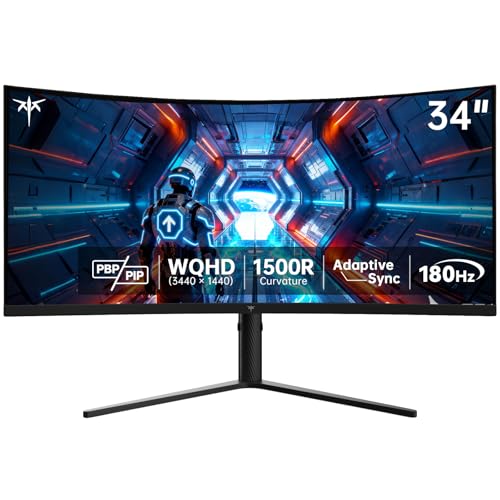
KTC H34S5 34-Inch 180Hz — Best Affordable Curved Gaming Pick
The KTC H34S5 remains a strong option for gamers who want a fast 34-inch curved display without paying for a 240Hz model.
It combines a 3440 × 1440 resolution with a 180Hz refresh rate, 1500R curvature, Adaptive Sync, and a high-contrast HVA panel.
Why it wins: It provides a strong middle ground between lower-refresh office monitors and the faster 240Hz gaming option.
Pros
- 3440 × 1440 resolution
- 180Hz refresh rate
- 1500R curve
- Adaptive Sync support
- Adjustable stand
Cons
- Limited productivity docking features
- VA-style dark transitions may not be as fast as premium display technologies
Trade-offs / Who should skip: Spend more on the Amzfast if 240Hz is important. Productivity-focused users will get more useful connectivity from the Dell or INNOCN 45C1R.
Dell S3425DW 34-Inch — Best for USB-C Office Setups
The Dell S3425DW is the strongest work-focused replacement in the updated lineup.
Its 34-inch WQHD VA panel runs at 120Hz and includes USB-C with up to 65W power delivery, HDR10, FreeSync Premium, a 3000:1 listed contrast ratio, 95% DCI-P3 coverage, and dual 10W speakers.
Why it wins: It combines a smoother 120Hz display with USB-C laptop charging and stronger office-friendly connectivity than the basic work monitors here.

Pros
- 34-inch WQHD ultra-wide display
- 120Hz refresh rate
- USB-C with 65W power delivery
- 95% DCI-P3 coverage
- Dual 10W speakers
Cons
- 65W charging may not fully power every high-performance laptop
- Not as fast as the dedicated 180Hz and 240Hz gaming monitors
Trade-offs / Who should skip: Gamers chasing maximum refresh rate should choose the Amzfast or KTC. This Dell is better suited to laptop users and mixed work-and-entertainment setups.
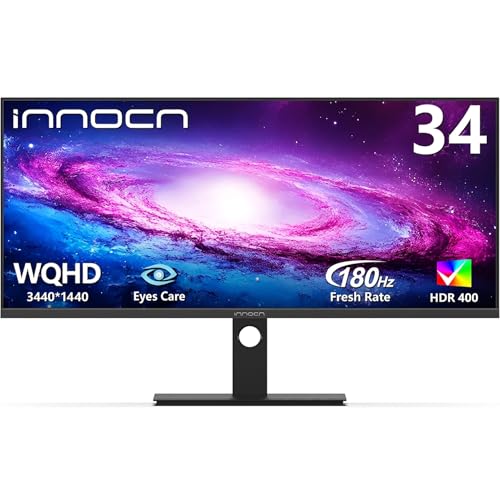
INNOCN 34C1R 34-Inch IPS — Best IPS Ultra-Wide for Mixed Use
The INNOCN 34C1R is the strongest IPS-based all-rounder in this group.
Its 34-inch 3440 × 1440 IPS panel runs at 180Hz and supports Adaptive Sync, G-SYNC compatibility, PIP/PBP, HDR, built-in speakers, and height adjustment.
Why it wins: It combines the viewing-angle and color consistency advantages associated with IPS with a refresh rate fast enough for gaming.
Pros
- 3440 × 1440 IPS panel
- 180Hz refresh rate
- G-SYNC compatible
- PIP and PBP support
- Height-adjustable stand
Cons
- No USB-C power delivery listed
- Not as fast as the 240Hz Amzfast
Trade-offs / Who should skip: Laptop users wanting a single-cable workstation should choose the Dell. This model makes more sense for desktop users who want an IPS panel for both work and gaming.
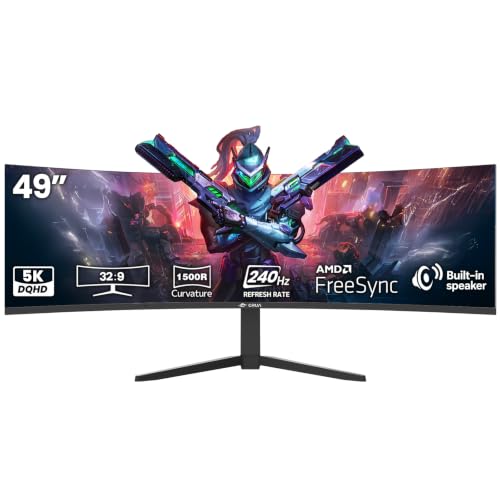
CRUA 49-Inch DQHD 240Hz — Best Two-Monitor Replacement
The CRUA 49-inch is the largest and most gaming-focused super ultra-wide in the updated lineup.
Its 32:9 DQHD panel runs at 240Hz with a 1500R curve and FreeSync support. The listing also specifies a VA panel, 3000:1 contrast, built-in speakers, a height-adjustable stand, HDMI 2.1, and DisplayPort 1.4.
Why it wins: The 49-inch 32:9 format and 240Hz refresh rate make it the strongest pick here for buyers who want one continuous display instead of two conventional monitors.
Pros
- Massive 49-inch 32:9 display
- 240Hz refresh rate
- 1500R curvature
- HDMI 2.1 and DisplayPort 1.4
- Height-adjustable stand
Cons
- Requires a large, sturdy desk
- Very demanding for a gaming PC at high frame rates
- Some software and games do not make full use of 32:9
Trade-offs / Who should skip: A 34-inch monitor is easier to fit and drive. Choose the CRUA when maximum horizontal space and immersive high-refresh gaming are the priority.
Quick Compare
- Amzfast AMZG34C8 Pro: best high-refresh 34-inch gaming ultra-wide.
- INNOCN 45C1R: best value super ultra-wide.
- Samsung ViewFinity S5: best affordable flat ultra-wide for work.
- KTC H34S5: best affordable curved gaming model.
- Dell S3425DW: best USB-C office ultra-wide.
- INNOCN 34C1R: best IPS ultra-wide for mixed work and gaming.
- CRUA 49-Inch DQHD: best two-monitor replacement.
Final Verdict
The Amzfast AMZG34C8 Pro is the strongest choice for gamers who want a fast 34-inch ultra-wide, while the KTC H34S5 provides a more affordable 180Hz alternative.
For productivity, the Dell S3425DW is the better choice for USB-C laptop setups, while the Samsung ViewFinity S5 is a straightforward flat-screen office option. The INNOCN 34C1R is the better middle ground when you want IPS image characteristics plus 180Hz gaming performance.
For maximum screen space, choose the INNOCN 45C1R for a more productivity-oriented 32:9 setup or the CRUA 49-Inch DQHD 240Hz when high-refresh gaming and a true two-monitor-replacement experience are the priorities.
As an Amazon Associate, I earn from qualifying purchases.