
Laptops That Stay Fast for Everyday Use
As an Amazon Associate, I earn from qualifying purchases. Some links may earn us a commission at no extra cost to you.
A laptop that stays fast for everyday use needs more than a good processor. Enough memory, responsive solid-state storage, a practical display, and a comfortable work setup all matter when you are juggling browser tabs, documents, video calls, streaming, research, spreadsheets, and light creative work.
These seven picks cover compact premium laptops, lightweight large-screen models, OLED displays, business-focused systems, and spacious home-office machines.
Top Picks
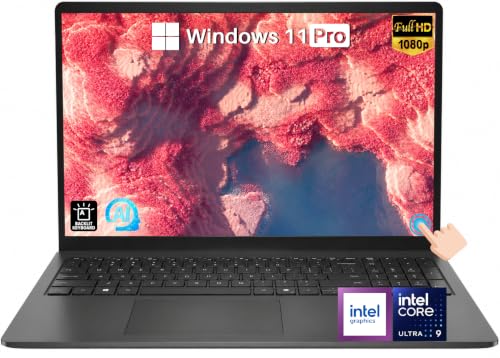
Dell 16 DC16251 — Best Overall Everyday Windows Laptop
The Dell 16 DC16251 offers a balanced specification for people who want one Windows laptop to handle everyday work for several years. It combines a 10-core Intel Core 7 150U processor with 32GB of DDR5 memory and a 1TB SSD.
Its 16-inch FHD+ IPS touchscreen gives plenty of workspace, while the backlit keyboard, fingerprint reader, Wi-Fi 6E, and Windows 11 Pro make it practical for both home and professional use.
Why it wins: Its 32GB memory, 1TB storage, capable processor, and spacious touchscreen form one of the most balanced everyday configurations in the lineup.
Pros
- 32GB DDR5 memory
- 1TB SSD
- 16-inch FHD+ IPS touchscreen
- Backlit keyboard and fingerprint reader
- Wi-Fi 6E and Windows 11 Pro
Cons
- Larger than a compact 14-inch laptop
- Integrated graphics are not aimed at demanding gaming
Trade-offs / Who should skip: Frequent travelers who prioritize minimum size and weight should look at the ASUS Zenbook S14 or ThinkPad E14 instead.
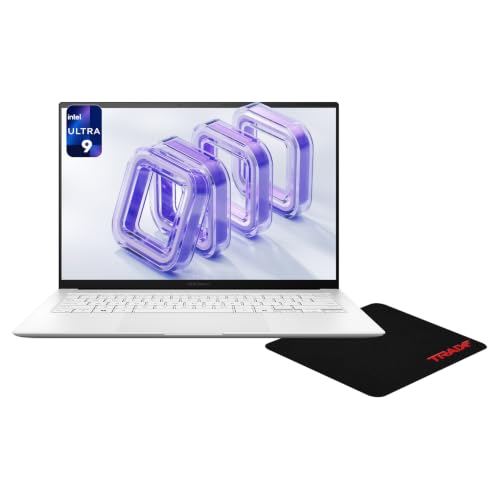
ASUS Zenbook S14 — Best Premium Compact Laptop
The ASUS Zenbook S14 pairs a compact 14-inch chassis with high-end everyday specifications. It includes an Intel Ultra 9-386H processor, 32GB of LPDDR5X memory, and a 1TB PCIe SSD.
The standout feature is its 14-inch 3K touchscreen with a 120Hz refresh rate, giving users a sharper, smoother display than a conventional Full HD productivity laptop.
Why it wins: It combines strong memory and storage with a high-resolution touchscreen in a more compact format than most of the laptops here.
Pros
- 32GB LPDDR5X memory
- 1TB PCIe SSD
- 14-inch 3K touchscreen
- 120Hz display
- Backlit keyboard
Cons
- Premium price
- Smaller screen than 16- and 17-inch alternatives
Trade-offs / Who should skip: Users who spend most of the day working with several windows side by side may prefer one of the larger 16-inch options.
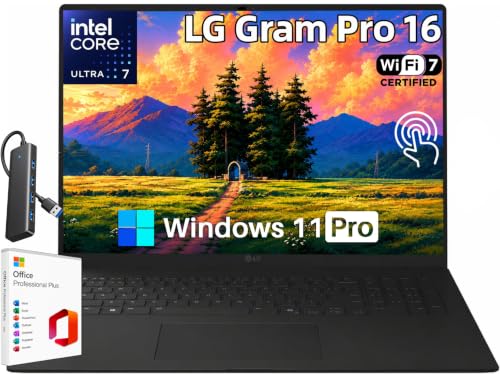
LG gram Pro 16 — Best Large-Screen Laptop for Travel
The LG gram Pro 16 is aimed at users who want a large display without giving up portability. Its configuration includes an Intel Core Ultra 7 355 processor, 32GB of LPDDR5X memory, and a 1TB SSD.
The 16-inch WQXGA IPS touchscreen provides significantly more working room than a traditional ultraportable, while the listing specifically emphasizes its lightweight design.
Why it wins: It gives buyers a spacious 16-inch touchscreen and strong multitasking specifications while remaining focused on portability.
Pros
- 32GB LPDDR5X memory
- 1TB SSD
- 16-inch WQXGA touchscreen
- Lightweight design
- Wi-Fi 7 and Windows 11 Pro
Cons
- Premium pricing
- Larger footprint than a 14-inch travel laptop
Trade-offs / Who should skip: If compact dimensions matter more than screen size, the Zenbook S14 or ThinkPad E14 will be easier to carry.
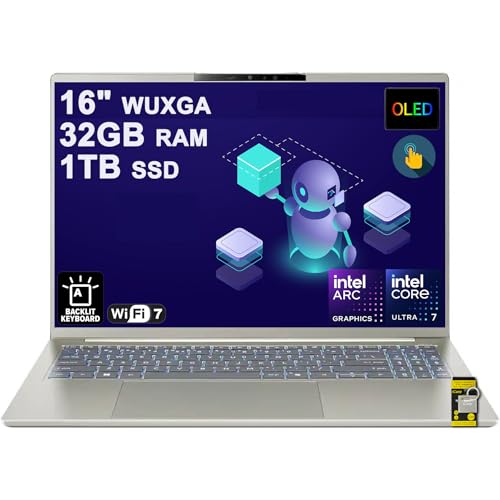
Acer Swift 16 AI OLED — Best for OLED Multitasking
The Acer Swift 16 AI OLED is a strong choice for buyers who prioritize display quality and plenty of multitasking headroom. Its 16-inch OLED touchscreen gives everyday apps, photos, video, and streaming content a high-contrast presentation.
With 32GB of memory and a 1TB SSD, it also has enough capacity for heavy browser use, office work, research, video calls, and light creative workloads without feeling constrained by entry-level memory.
Why it wins: The combination of a large OLED touchscreen and 32GB of memory makes it especially appealing for people who work and consume media on the same laptop.
Pros
- 16-inch OLED touchscreen
- 32GB RAM
- 1TB SSD
- Strong setup for heavy multitasking
- Spacious display for split-screen work
Cons
- Larger than an ultraportable
- OLED touchscreen use can increase power consumption
Trade-offs / Who should skip: Buyers who value minimum weight and compactness over display size should choose a 14-inch model.
Lenovo ThinkPad E14 Gen 7 — Best for Business Productivity
The ThinkPad E14 Gen 7 provides a traditional productivity-focused setup in a compact 14-inch format. This configuration pairs an AMD Ryzen 7 250 processor with 16GB of DDR5 memory and a 1TB SSD.
It also includes practical business features such as a fingerprint reader, Ethernet, Wi-Fi 6, a camera, and Windows 11 Pro.
Why it wins: It combines a compact footprint with useful business connectivity and enough memory and storage for everyday professional workloads.

Pros
- Ryzen 7 250 processor
- 16GB DDR5 memory
- 1TB SSD
- Fingerprint reader and Ethernet
- Windows 11 Pro
Cons
- 16GB offers less multitasking headroom than the 32GB picks
- Smaller display than the 16-inch productivity models
Trade-offs / Who should skip: Users regularly running very large numbers of browser tabs or memory-heavy applications may prefer one of the 32GB systems.
HP OmniBook 5 AI 16 — Best for Heavy Everyday Multitasking
The HP OmniBook 5 AI 16 combines an AMD Ryzen AI 7 350 processor with 32GB of memory and a 1TB SSD, making it a good fit for users who want plenty of headroom for everyday workloads.
Its 16-inch WUXGA IPS touchscreen provides a large work area for documents, spreadsheets, browser windows, and video calls, while integrated Radeon 860M graphics handle normal visual workloads.
Why it wins: Its 32GB memory and Ryzen AI 7 platform make it especially well suited to users who routinely keep many applications and browser tabs open.

Pros
- Ryzen AI 7 350 processor
- 32GB RAM
- 1TB SSD
- 16-inch WUXGA touchscreen
- Strong multitasking headroom
Cons
- Less portable than a 14-inch laptop
- Large touchscreen can consume more battery than a smaller non-touch display
Trade-offs / Who should skip: Travelers who prioritize a compact footprint should consider ASUS or Lenovo instead.
HP 17.3″ Touchscreen Business Copilot AI Laptop — Best for Big-Screen Home Use
This HP laptop is a strong fit for buyers who want significantly more screen space than a conventional 14- or 15-inch notebook. Its 17.3-inch touchscreen makes documents, browser windows, spreadsheets, and streaming content easier to view without relying as heavily on an external monitor.
The configuration combines an Intel Core Ultra 5 225U processor with 16GB of DDR5 memory and a 1TB SSD. It also includes Wi-Fi 6, a backlit keyboard, numeric keypad, webcam, fingerprint reader, and fast-charging support.
Why it wins: It preserves the practical big-screen desktop-replacement role while offering a modern Core Ultra platform, 16GB of DDR5 memory, and ample 1TB storage.

Pros
- Large 17.3-inch touchscreen
- Intel Core Ultra 5 225U processor
- 16GB DDR5 memory
- 1TB SSD
- Backlit keyboard and numeric keypad
- Fingerprint reader
Cons
- Much less portable than 14-inch laptops
- 16GB provides less memory headroom than the 32GB models above
Trade-offs / Who should skip: Frequent travelers should choose the Zenbook S14, ThinkPad E14, or LG gram Pro instead. This HP makes the most sense as a home, study, or office laptop where a large built-in display matters more than compact size.
Quick Compare
- Dell 16 DC16251: best overall everyday Windows laptop.
- ASUS Zenbook S14: best premium compact laptop.
- LG gram Pro 16: best large-screen laptop for travel.
- Acer Swift 16 AI OLED: best for OLED display quality and multitasking.
- Lenovo ThinkPad E14 Gen 7: best for business productivity.
- HP OmniBook 5 AI 16: best for heavy everyday multitasking.
- HP 17.3″ Touchscreen Business Copilot AI Laptop: best for big-screen home use.
Final Verdict
The Dell 16 DC16251 is the strongest all-around choice for most Windows users because its 32GB memory, 1TB SSD, touchscreen, and practical productivity features create a balanced everyday setup.
Choose the ASUS Zenbook S14 for a premium compact experience, the LG gram Pro 16 if you want a large display without abandoning portability, or the Acer Swift 16 AI OLED if display quality is a priority. The ThinkPad E14 is the business-focused choice, while the HP OmniBook 5 AI 16 offers plenty of memory for heavier multitasking.
For buyers who mostly use their laptop at a desk and want the largest built-in display in the roundup, the HP 17.3″ Touchscreen Business Copilot AI Laptop is the most practical big-screen option.
As an Amazon Associate, I earn from qualifying purchases.