
External Hard Drives for Mac
As an Amazon Associate, I earn from qualifying purchases. Some links may earn us a commission at no extra cost to you.
The right external drive for a Mac depends on whether you prioritize backup capacity, portability, SSD speed, or professional creative performance. Desktop hard drives still make sense for large Time Machine backups and archives, while portable HDDs offer affordable storage on the go. External SSDs are the better fit for active projects, photo and video work, and frequent file transfers.
Modern Macs rely heavily on USB-C and Thunderbolt, although traditional USB drives can still be useful with the appropriate connection. Depending on the drive and how it arrives formatted, you may also need to reformat it in Disk Utility before using it as a Mac-only or Time Machine drive.
Top Picks
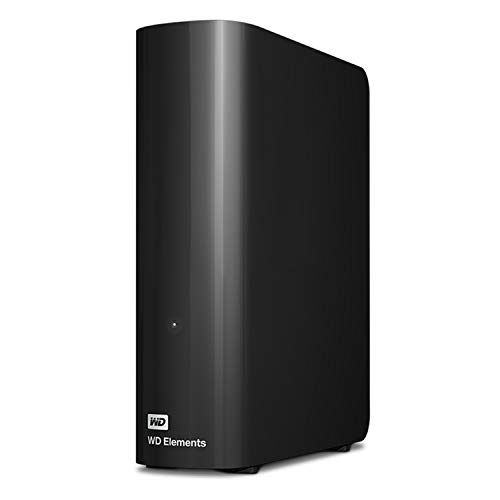
WD Elements 8TB Desktop External Hard Drive — Best for Desktop Mac Backups
The WD Elements 8TB is a straightforward choice for Mac users who need a large amount of storage at a desk.
It combines 8TB of capacity with USB 3.0 connectivity and a traditional desktop external-drive design. That makes it especially useful for large backup sets, photo libraries, archived projects, and files that do not need SSD-level performance.
Why it wins: It gives you substantially more storage than portable drives while coming from an established desktop external-drive line.

Pros
- 8TB storage capacity
- USB 3.0 connectivity
- Good fit for large backup libraries
- Desktop design suits permanent Mac setups
- Far more capacity than typical portable SSDs
Cons
- Not designed for frequent travel
- No native USB-C connection listed
- May require reformatting depending on your Mac setup
Trade-offs / Who should skip: Choose this when capacity matters more than portability or transfer speed. If you regularly work directly from the external drive, an SSD such as the fanxiang or OWC will make more sense.
Toshiba Canvio Flex 4TB — Best USB-C Portable Hard Drive
The Toshiba Canvio Flex is one of the cleanest portable HDD choices for newer Macs because its listing specifically supports USB-C, USB 3.0, Mac, PC, and tablets.
Its 4TB capacity provides considerably more room than a typical 1TB SSD while maintaining a portable form factor suitable for a MacBook bag.
Why it wins: Native USB-C support and explicit Mac compatibility make it especially convenient for MacBook users who want portable capacity without moving up to SSD pricing.

Pros
- 4TB capacity
- USB-C connectivity
- USB 3.0 support
- Explicitly compatible with Mac
- Portable design
Cons
- Mechanical HDD performance is slower than an SSD
- More vulnerable to movement and impact than solid-state storage
Trade-offs / Who should skip: This is best for backups and larger file collections rather than editing directly from the drive. Choose an SSD if speed matters more than capacity per dollar.
WD My Passport for Mac 2TB — Best Mac-Specific Portable Backup Drive
The WD My Passport for Mac is the most Mac-focused portable hard drive in this group.
Its listing specifically identifies Mac compatibility and includes backup software and password protection. The 2TB capacity is enough for documents, photos, personal backups, and many everyday Time Machine setups without requiring a bulky desktop drive.
Why it wins: It combines a portable hard drive format with Mac-specific positioning and password protection.

Pros
- Designed for Mac use
- 2TB storage capacity
- Password protection
- Backup software included
- Portable form factor
Cons
- Only half the capacity of the Toshiba Canvio Flex
- HDD performance is slower than portable SSDs
Trade-offs / Who should skip: If you mainly care about maximum portable capacity, the Toshiba is the stronger HDD choice. If speed is important, step up to one of the SSD picks.
fanxiang 2TB Portable External SSD — Best Fast USB-C SSD
The fanxiang 2TB external SSD is aimed at users who need considerably more speed than a mechanical hard drive.
Its listing specifies USB 3.2 Gen 2×2 Type-C connectivity and transfer speeds of up to 2,000MB/s. With 2TB of space, it is better suited to active project files and creative work than smaller 500GB or 1TB drives.
Why it wins: The combination of 2TB capacity and up-to-2,000MB/s performance makes it the strongest conventional high-speed USB-C SSD in this lineup.

Pros
- 2TB capacity
- Up to 2,000MB/s listed speed
- USB-C connection
- USB 3.2 Gen 2×2 interface
- Positioned for creators and large-file workflows
Cons
- Maximum speeds depend on the host connection
- Listing is not specifically Mac-focused
- Costs more per terabyte than an HDD
Trade-offs / Who should skip: This makes the most sense for active files and faster transfers. For basic Time Machine backups, paying for this level of SSD performance may not be necessary.
DATO ARES Amber Shield 4TB External SSD — Best Rugged High-Capacity SSD
The DATO ARES Amber Shield fills the rugged SSD role while offering substantially more capacity than many travel-focused solid-state drives.
Its listing specifies 4TB of storage, USB 3.2 Gen 2×2 Type-C connectivity, speeds up to 1,600MB/s read and 1,500MB/s write, and an IP67 waterproof rating.
Why it wins: Few drives in this lineup combine 4TB of solid-state capacity with high-speed USB-C performance and an IP67-rated rugged design.

Pros
- 4TB SSD capacity
- Up to 1,600MB/s read speed
- Up to 1,500MB/s write speed
- USB Type-C connectivity
- IP67 waterproof rating
Cons
- Significantly more expensive than portable hard drives
- Supplied listing emphasizes console compatibility rather than Mac-specific positioning
- Overkill for simple backups
Trade-offs / Who should skip: This is aimed at users who want both capacity and rugged solid-state storage. For ordinary home backups, a portable or desktop HDD offers much more economical storage.
Transcend ESD310 1TB Dual Portable SSD — Best Ultra-Compact SSD
The Transcend ESD310 is the most compact and flexible SSD choice here.
It combines USB-A and USB-C connections in a small thumb-drive-style design and offers listed speeds up to 1,050MB/s. Its compatibility list specifically includes Mac, iPad, newer iPhones, Android devices, and other platforms.
Why it wins: The dual USB-A/USB-C design makes it especially useful for moving files between newer Macs and older computers without constantly carrying adapters.

Pros
- USB-C and USB-A built in
- 1TB capacity
- Up to 1,050MB/s listed speed
- Explicit Mac compatibility
- Very compact form factor
Cons
- 1TB is limiting for large video libraries
- Less capacity than the 2TB and 4TB SSD options
Trade-offs / Who should skip: Choose this when convenience and portability matter more than maximum capacity. For large creative libraries, the fanxiang, DATO, or OWC makes more sense.
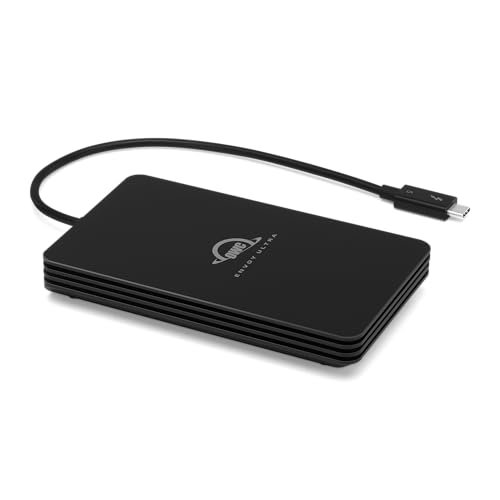
OWC Envoy Ultra 4TB Thunderbolt 5 Portable SSD — Best Premium Performance
The OWC Envoy Ultra remains the premium performance pick for demanding Mac workflows.
Its Thunderbolt 5 interface is rated for performance over 6,000MB/s, while its 4TB capacity provides enough room for large video projects, high-resolution photo libraries, and other active creative workloads. The listing also states compatibility with Thunderbolt 3, Thunderbolt 4, and USB4 systems.
Why it wins: Nothing else in this roundup comes close to its combination of 4TB capacity and Thunderbolt-class performance.
Pros
- 4TB capacity
- Over 6,000MB/s listed performance
- Thunderbolt 5 interface
- Supports Thunderbolt 3, Thunderbolt 4, and USB4 systems
- Built for demanding creative workflows
Cons
- Expensive compared with standard USB SSDs
- Extreme performance is unnecessary for routine backups
- Best value only when your workflow can use the extra speed
Trade-offs / Who should skip: Basic Time Machine users should save money with an HDD, while mainstream SSD buyers will probably get enough performance from the fanxiang or Transcend.
Quick Compare
- WD Elements 8TB: best desktop drive for large Mac backups and archives.
- Toshiba Canvio Flex 4TB: best USB-C portable hard drive.
- WD My Passport for Mac 2TB: best Mac-specific portable backup drive.
- fanxiang 2TB External SSD: best fast USB-C SSD.
- DATO ARES 4TB: best rugged high-capacity SSD.
- Transcend ESD310 1TB: best ultra-compact dual USB-A/USB-C SSD.
- OWC Envoy Ultra 4TB: best premium Thunderbolt performance.
Final Verdict
The WD Elements 8TB is the most practical choice when you primarily need a large desktop drive for backups and archives. For portable HDD storage, the Toshiba Canvio Flex 4TB offers a useful combination of capacity and USB-C connectivity, while the WD My Passport for Mac is the more Mac-focused choice when password protection and backup features matter.
For SSD buyers, the fanxiang 2TB provides strong USB-C performance and useful capacity, while the DATO ARES 4TB is better for buyers who want a larger and more rugged solid-state drive. The Transcend ESD310 is the easiest SSD to carry and move between USB-A and USB-C devices.
For demanding video, photography, or other high-bandwidth Mac workflows, the retained OWC Envoy Ultra 4TB remains the premium performance option.
As an Amazon Associate, I earn from qualifying purchases.